(9.2) Conversion Rate – CVR – How to Plan Your Product Based on Keyword Data

Conversion Rate – CVR – How to Plan Your Product Based on Keyword Data
Eazyppc welcomes you to the article ‘Conversion Rate – CVR – How to Plan Your Product Based on Keyword Data’ – you should read and fully understand the previous articles, as Eazyppc uses terms and phrases that were explained in earlier lessons.
Articles you should be familiar with before reading this one:
- (1.1) What Are Keywords
- (2.1) Number of Competing Listings
- (3.1) Why Keyword Bid Matters
- (3.2) Estimated Advertising Cost
- (3.3) Financial Plan for Your Product
- (5.1) Prerequisites for Ranking
- (5.2) Why You Need to Run Amazon Ads
- Series (6.)
1/ What Is Conversion Rate
CVR – conversion rate as defined by Amazon:

CVR measures the ability to convert traffic into orders — meaning if out of 100 visits (clicks), 10 people make a purchase, the CVR is 10%. CVR not only reflects advertising cost efficiency and keyword relevance to the product, but also determines the organic ranking position of the product — a key factor for growing revenue and profit. When CVR is high, Amazon prioritizes the product with better organic placement -> more organic traffic -> more sales and profit (due to free clicks)
How to check conversion rate for Sellers who are already selling & have a brand:
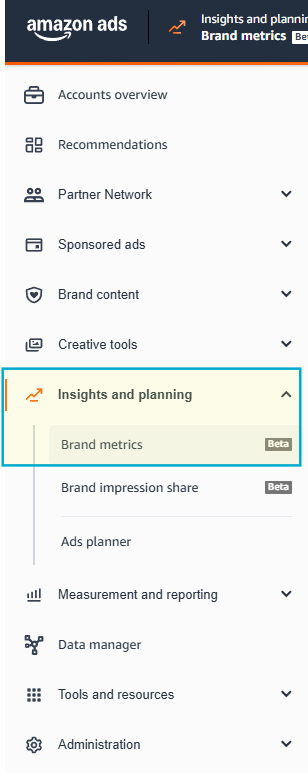
- Seller Central > Advertising > Brand metrics:
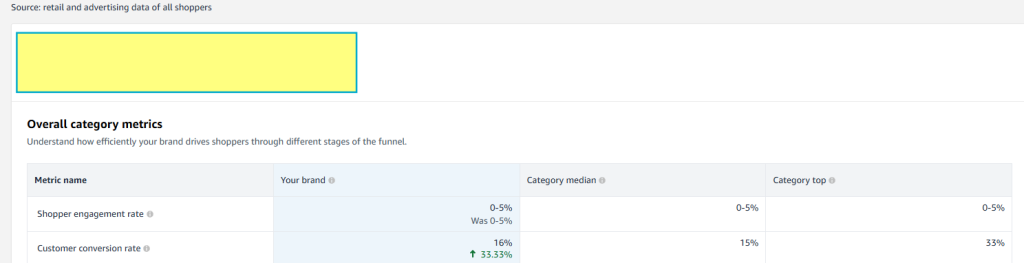
- Then, select a time range as follows:

- The resulting CVR of 15% represents the industry average for February, which Sellers can use as a benchmark:
2/ Pricing Strategy to Improve Conversion Rate
Conversions into orders come from traffic (clicks — through ads and organic visibility) to the product, but to achieve a high conversion rate into sales, Sellers need to pay attention to many other factors, most importantly selling price and number of reviews.
In the early stage, if the product does not yet have many reviews but the price is more competitive than the market average, it is still possible to achieve a good conversion rate. After that, once Reviews have been accumulated, the Seller can gradually raise the price. On the other hand, if a new product lacks reviews and the price is not competitive enough, even with high traffic or a good CTR, CVR can still be low because customers click in and then leave, resulting in:
- Low ad spend efficiency
- No profit even with sales.
3/ Estimating the Projected Conversion Rate
To estimate the conversion rate:
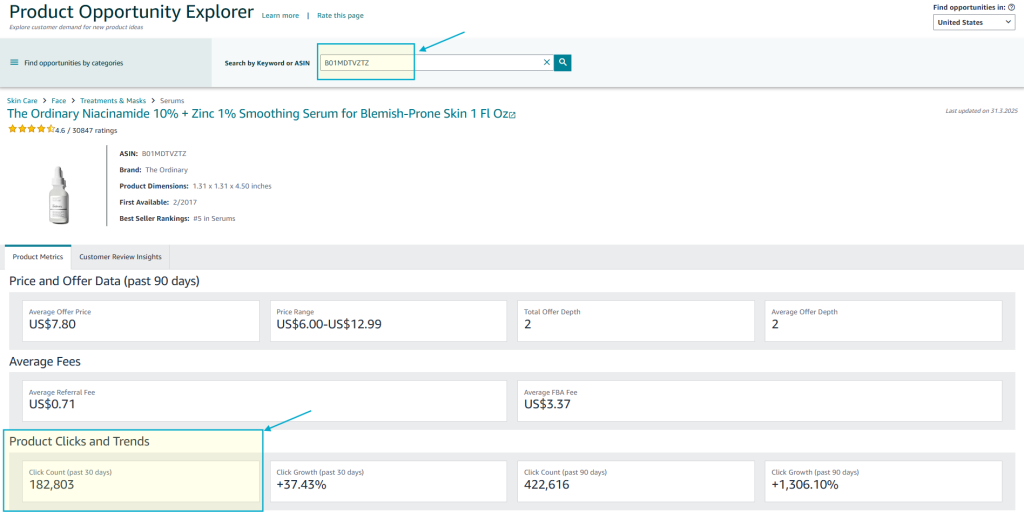
- Sellers can use the Seller Central > Product Opportunity Explorer tool to check the number of clicks on a specific product in the last 30 or 90 days. From there, you can calculate the average CVR for products priced similarly to your intended selling price.
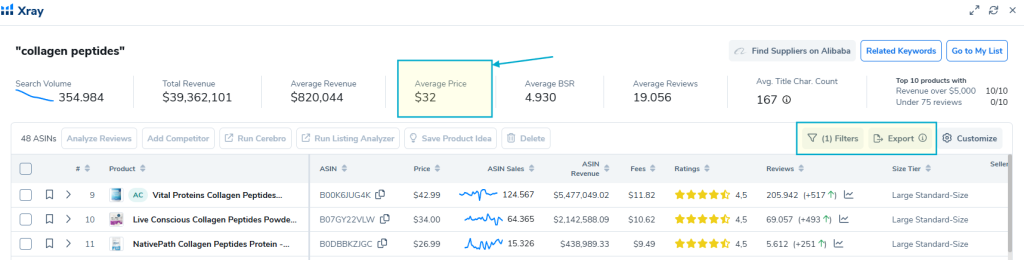
- Additionally, Sellers can use data from Helium10 to take the average price of products on page 1 as a benchmark — the expected CVR for this price point is 10%. Sellers can then adjust CVR based on their planned selling price (for example, 12.5% CVR if selling below the market price).
By applying both methods above, you can calculate different scenarios — use the average CVR as your benchmark reference point.
Tất cả nội dung trên blog này chỉ nhằm mục đích cung cấp thông tin và chia sẻ kinh nghiệm cá nhân về kinh doanh trên Amazon. Eazyppc.com không đảm bảo bất kỳ kết quả cụ thể nào từ việc áp dụng các chiến lược hoặc thông tin được chia sẻ.
Việc kinh doanh có thể tiềm ẩn rủi ro, và mỗi cá nhân cần tự nghiên cứu, đánh giá trước khi đưa ra quyết định. Eazyppc.com không chịu trách nhiệm đối với bất kỳ tổn thất, thiệt hại nào phát sinh từ việc áp dụng thông tin trên blog này.


Chấp thuận Điều khoản & Chính sách
Trước khi tiếp tục truy cập website Eazyppc.com, bạn vui lòng đọc và đồng ý với: