(13.2) How to View Profit for Each/All Products – Track Orders and Cash Flow

How to View Profit for Each/All Products
Eazyppc welcomes you to the article ‘How to View Profit for Each/All Products’ – you should read and familiarize yourself with the previous posts, as Eazyppc uses terms and terminology that were explained in earlier lessons for the posts that follow.
1/ Using the Seller Board App
To view accurate, fast, and efficient Profit across multiple products, Sellers can use Seller Board
- Enter the Cost Of Good Sold under Products & COGS
- Wait for the sync to complete, then go to the Dashboard where revenue and profit will be displayed. Other costs such as Refunds are aggregated in a visually intuitive way
- Sellers can use this invite link to sign up and support the admin (no extra cost to the Seller — Seller Board pays the admin): https://sellerboard.com/?friend=9eaf9164b6
2/ Using Reports on Seller Central
Go to Seller Central > click Menu > Inventory > Manage All Inventory > click on a Child-SKU
a/ Track using the live chart on SKU Economics
(Note: this cost breakdown does not include advertising fees for Sponsored Brand and Sponsored Display — only Sponsored Products ad costs are included)
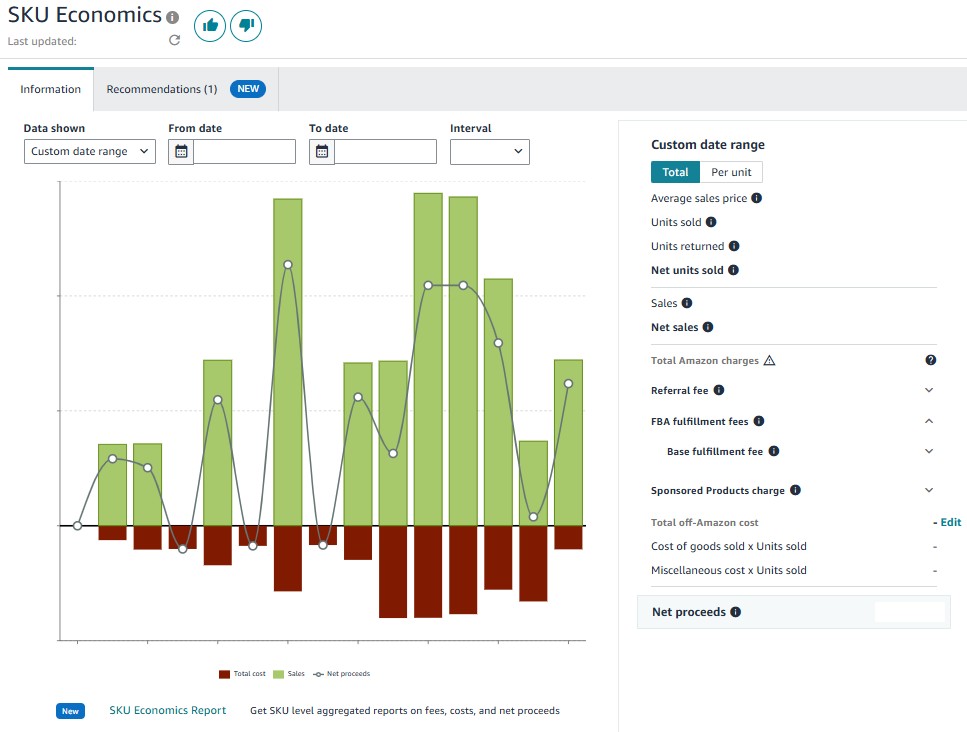
(Relevant figures have been hidden)
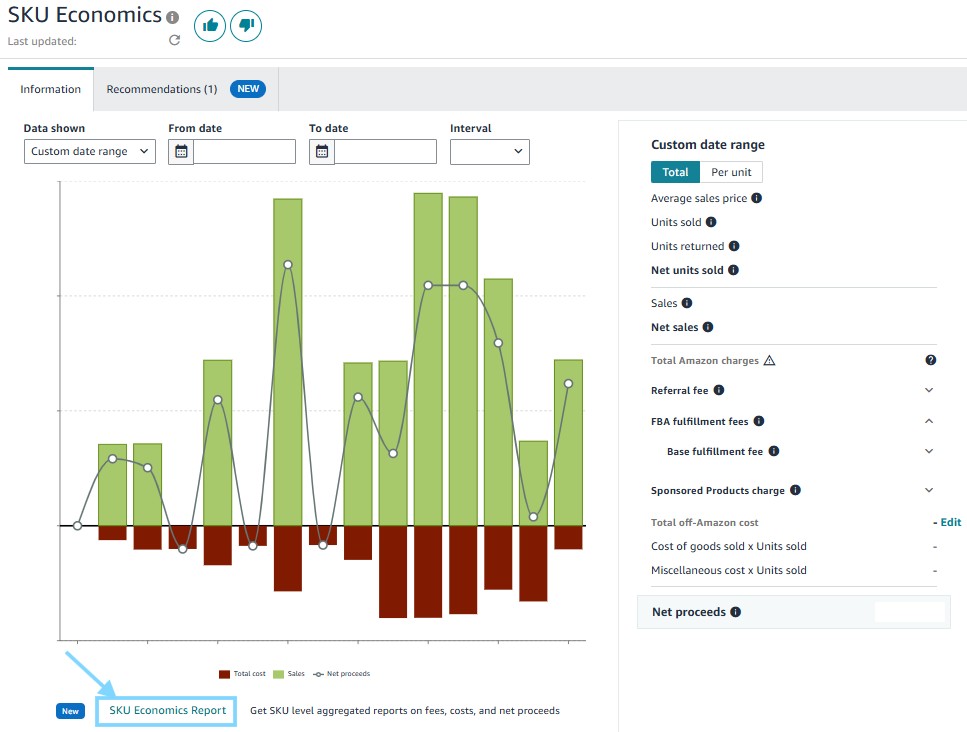
b/ Using the SKU Economics Report
Click the button as shown in the image
Configure the parameters
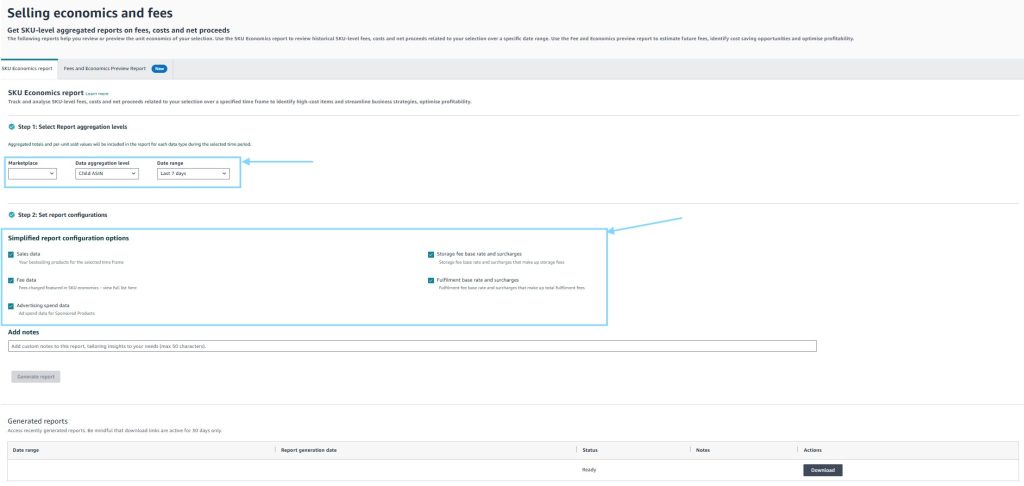
Then, click ‘Generate report’ > Download
In the downloaded CSV file, Sellers can find the same metrics (costs, revenue, profit) as those shown in the live SKU Economics chart. However, in the downloaded CSV file, Sellers can calculate the total costs, profit, revenue, etc. for all or a selected set of SKUs.
Note: Sponsored Product Charge Quantity is the number of Ad Clicks that SKU received during the time period selected by the Seller
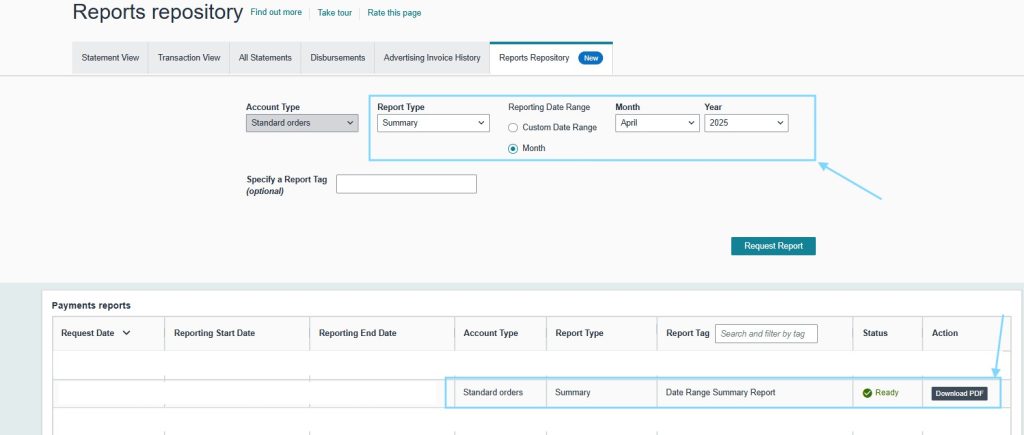
c/ Using Reports Repository under the Payment section
-> A PDF report of the balance sheet and the total amount transferred by Amazon within the selected time period.
Tất cả nội dung trên blog này chỉ nhằm mục đích cung cấp thông tin và chia sẻ kinh nghiệm cá nhân về kinh doanh trên Amazon. Eazyppc.com không đảm bảo bất kỳ kết quả cụ thể nào từ việc áp dụng các chiến lược hoặc thông tin được chia sẻ.
Việc kinh doanh có thể tiềm ẩn rủi ro, và mỗi cá nhân cần tự nghiên cứu, đánh giá trước khi đưa ra quyết định. Eazyppc.com không chịu trách nhiệm đối với bất kỳ tổn thất, thiệt hại nào phát sinh từ việc áp dụng thông tin trên blog này.


Chấp thuận Điều khoản & Chính sách
Trước khi tiếp tục truy cập website Eazyppc.com, bạn vui lòng đọc và đồng ý với: