(3.2) Estimated Advertising Costs

Estimated Advertising Costs
Eazyppc welcomes you to the lesson ‘Estimated Advertising Costs’ – please make sure you have already reviewed the previous lesson. If not, go back and read the section ‘Why Keyword Bid Matters‘ so you don’t miss any important information.
Note: The content of this lesson builds on knowledge from previous lessons, so you should read those first to follow along more easily.
As discussed regarding the role of keywords & keyword bids in previous lessons, estimated advertising costs will be calculated based on each keyword and its bid. Eazyppc will guide you through projecting all key metrics based on each keyword in your core keyword set — from there, you can consolidate the data to build a detailed business plan.
However, before getting into the calculations, we need to identify the Core Keyword Set (introduced in the lesson ‘What Are Keywords’) for a product. We will then use this keyword set to project advertising costs.
1/ Identifying the Core Keyword Set:
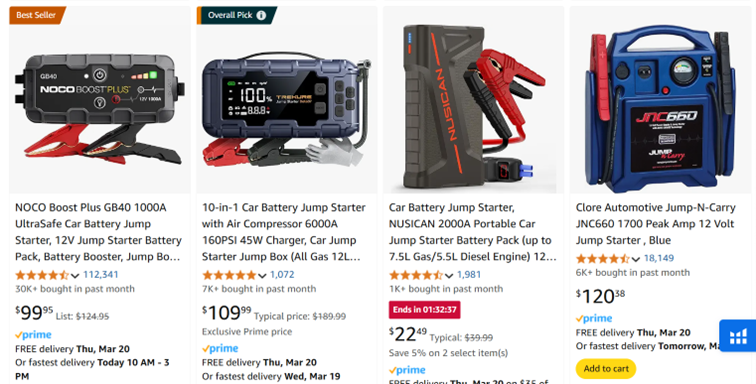
For example, if you want to sell a product in the ‘car battery jump starter’ niche, you need to select the 10 best-selling products in the ‘car battery jump starter’ niche (identified via Xray as instructed in previous lessons) that are most similar to the product you plan to sell.
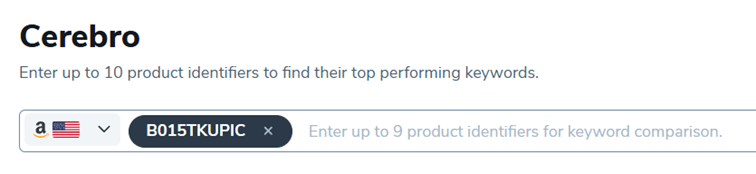
a/ Enter the product ASIN into Cerebro:
b/ Filter keyword results using the following criteria:
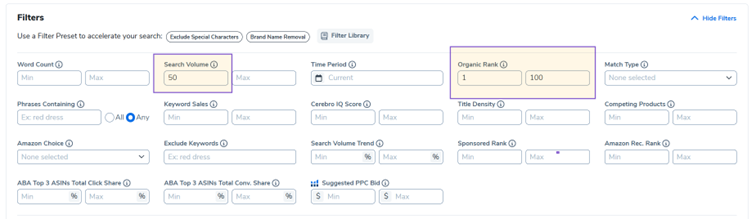
– Search Volume min 50: Removes keywords with very low search volume.
– Organic Rank 1-100: Filters for keywords where the product appears within the first two pages of results.
– If you want to narrow it further, set Organic Rank 1-50 to see only keywords appearing on the first page.
After filtering, Helium10 will return a keyword list:
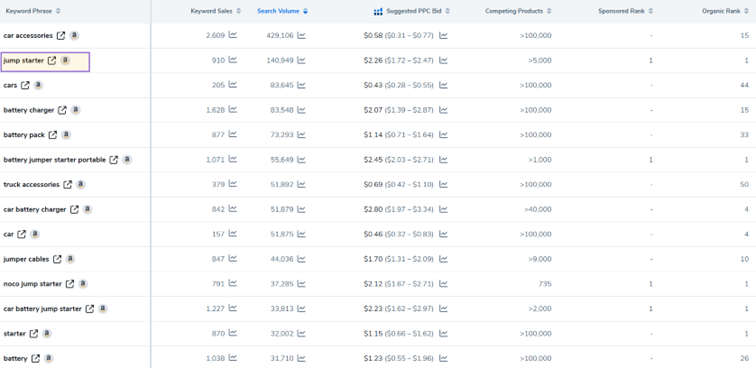
Sort the list by Search Volume, then hover over a keyword or click the icon next to it to check which products Amazon displays for that keyword.
-> The core keyword set is like the shelves in a supermarket where your product needs to be placed.
For example, with the keyword ‘car accessories’ – all 10 top organic results on Amazon are unrelated to product B015TKUPIC:
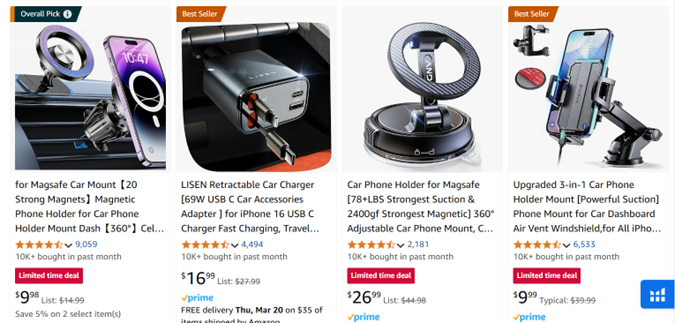
However, when checking the keyword ‘jump starter’, this turns out to be the most important shelf to place your product on, as the displayed products are the most similar to what you want to sell.
c/ Download the keyword set for ASIN B015TKUPIC as a CSV file:
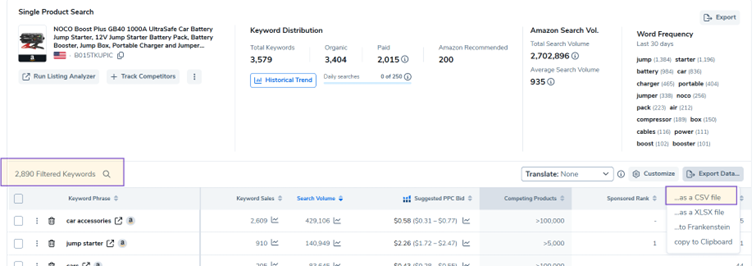
With the Search Volume min 50 and Organic Rank 1-100 filters applied, you will get 2,890 keywords.
d/ Find 9 more similar products — the ones most like yours with the best sales — using Xray with the keyword ‘jump starter’.
Repeat the process above for these 9 products, and you will have 10 CSV files containing the keyword sets for the 10 selected ASINs.
e/ Use Eazyppc’s keyword filtering tool:
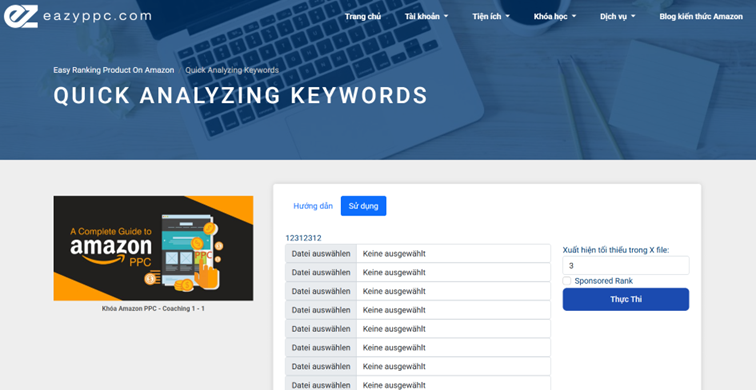
Upload the 10 CSV files into the Eazyppc > Utilities > ‘Quick analyzing keywords’ tool, run the analysis, and receive a consolidated CSV file named ‘amazon_Compare_kw’.
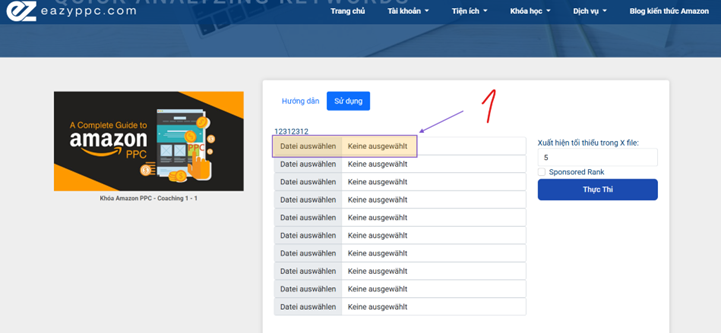
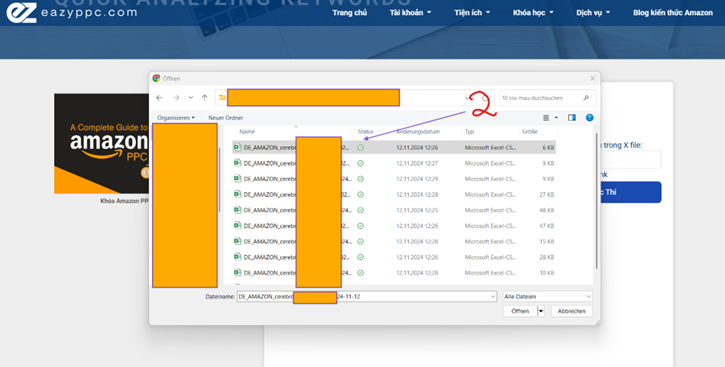
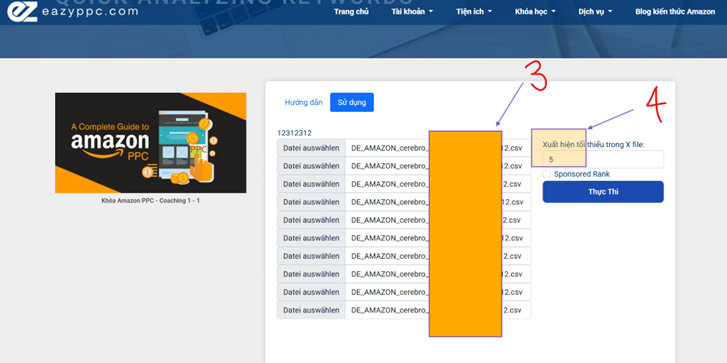
You will then need to manually refine the list to ensure the keywords are relevant. Once done, you have your core keyword set ready to use for many other purposes.
2/ Estimating Advertising Costs:
Copy this keyword list and paste it into Helium10 > Magnet > Analyze (200 keywords at a time) to retrieve Search Volume & Suggested PPC Bid data.
However, as explained in the lesson ‘Why Keyword Bid Matters‘, there is a significant discrepancy between the bids shown by Helium10 and those in Amazon Advertising on Seller Central.
-> Therefore, it is best to use the bid data from Amazon Advertising.
Next, set up an Excel spreadsheet as described below to calculate costs:
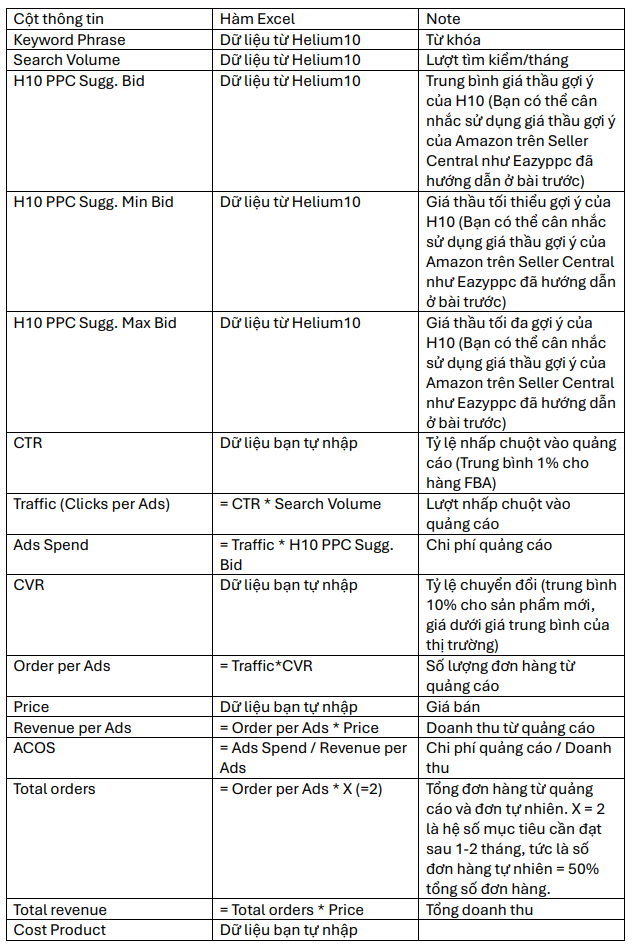
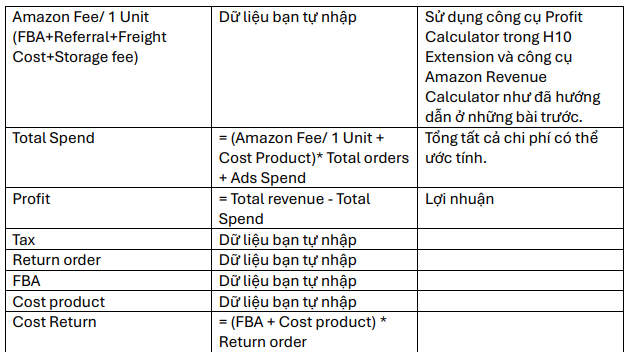
*References:
https://www.helium10.com/blog/amazon-profitability-calculator/
https://sellercentral.amazon.com/hz/fba/profitabilitycalculator/index?lang=en_US
Finally, the advertising cost projection Excel spreadsheet will look like this:
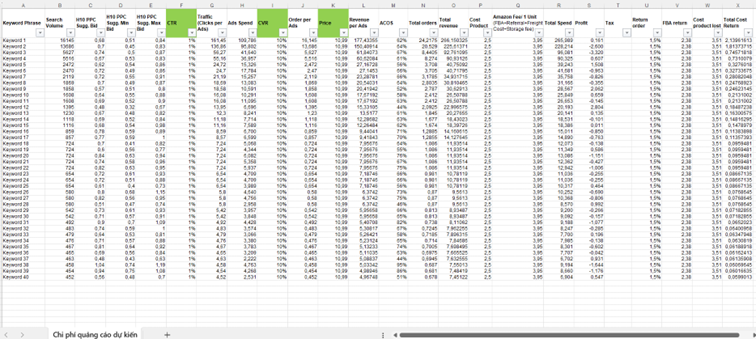
From this spreadsheet, you can adjust and consolidate projected business results & advertising costs. For other cost categories, Eazyppc will cover them in more detail in the lesson ‘Product Financial Plan’.
Below is a sample template you can download, use, and customize.
Tất cả nội dung trên blog này chỉ nhằm mục đích cung cấp thông tin và chia sẻ kinh nghiệm cá nhân về kinh doanh trên Amazon. Eazyppc.com không đảm bảo bất kỳ kết quả cụ thể nào từ việc áp dụng các chiến lược hoặc thông tin được chia sẻ.
Việc kinh doanh có thể tiềm ẩn rủi ro, và mỗi cá nhân cần tự nghiên cứu, đánh giá trước khi đưa ra quyết định. Eazyppc.com không chịu trách nhiệm đối với bất kỳ tổn thất, thiệt hại nào phát sinh từ việc áp dụng thông tin trên blog này.


Chấp thuận Điều khoản & Chính sách
Trước khi tiếp tục truy cập website Eazyppc.com, bạn vui lòng đọc và đồng ý với: