(10.11) Brand Store – Content for Products on Amazon

Brand Store – Keyword Optimization for Products – Content for Products on Amazon
Eazyppc welcomes you to the ‘Brand Store’ lesson – you should read and thoroughly understand the previous posts, as Eazyppc uses terms and concepts that were explained in earlier lessons.
Posts you should be familiar with before reading this one:
First, Sellers must successfully register for Brand Registry in order to use Brand Store. The Brand Store design process follows similar steps to creating A+ Content, Bullet Points, etc. as guided by Eazyppc. For guidelines and specifications for image & video types, Sellers can check here. For restrictions and policies for Stores, Sellers can check here, to avoid designing content or elements that violate Amazon’s policies -> wasting time. When accessing the Store creation tool in Seller Central, you can also directly see the minimum required specifications for images & videos there.
-> Based on Eazyppc’s guidance, Sellers can independently create their own Brand Store or contact third-party image design services.
In this post, Eazyppc will explain several important notes when creating a Brand Store, helping the Store/sub-pages and product pages within the Store attract more traffic and achieve better conversions.
1/ Running Sponsored Brand Ads
The most powerful tool that Amazon activates when a Seller has a Brand Store is running Sponsored Brand ads to pages within the Brand Store -> driving traffic to convert into sales.
2/ Notes on Call-to-Action Elements
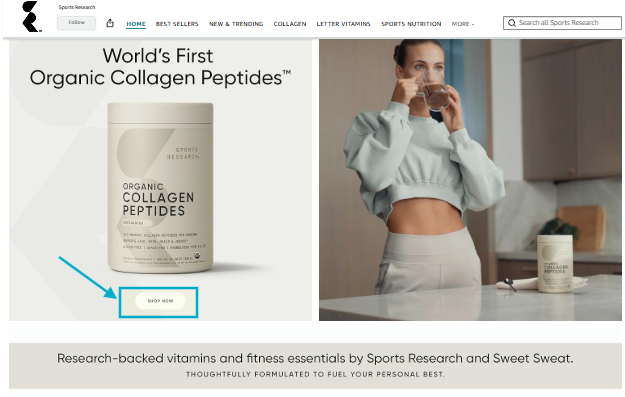
Sellers can proactively create buttons, images, and other Call-to-action elements to help customers complete purchases faster — this is a must-have. Without them, when a customer wants to buy -> they can’t quickly find the Add to Cart button -> customers get frustrated -> customers leave the store. For Call-to-action elements, Sellers can gather inspiration from Top Sellers in the niche or create their own.
A simple example is a ‘Shop Now’ button that doesn’t actually exist as a button but is embedded into the image. Customers can click directly on the image -> product purchase page.
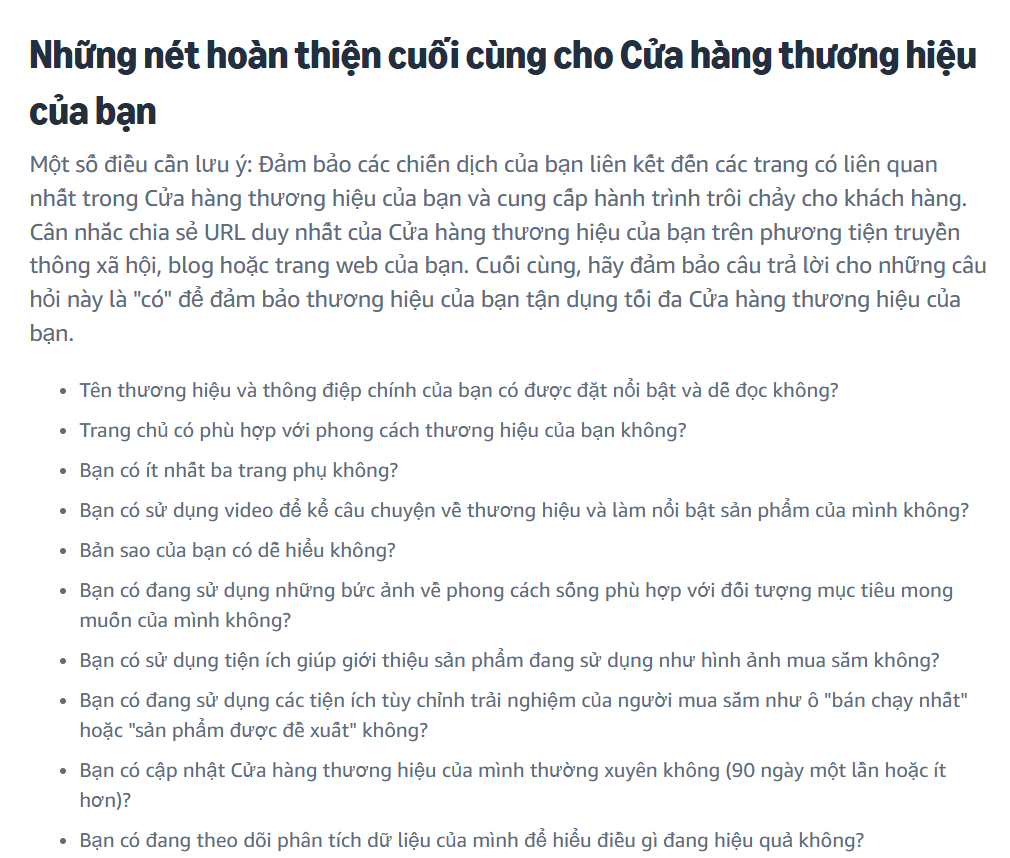
3/ Sellers can refer to Amazon’s Best Practices guides to improve their Brand Store
For example, Sellers can review the questions Amazon suggests below.
Tất cả nội dung trên blog này chỉ nhằm mục đích cung cấp thông tin và chia sẻ kinh nghiệm cá nhân về kinh doanh trên Amazon. Eazyppc.com không đảm bảo bất kỳ kết quả cụ thể nào từ việc áp dụng các chiến lược hoặc thông tin được chia sẻ.
Việc kinh doanh có thể tiềm ẩn rủi ro, và mỗi cá nhân cần tự nghiên cứu, đánh giá trước khi đưa ra quyết định. Eazyppc.com không chịu trách nhiệm đối với bất kỳ tổn thất, thiệt hại nào phát sinh từ việc áp dụng thông tin trên blog này.


Chấp thuận Điều khoản & Chính sách
Trước khi tiếp tục truy cập website Eazyppc.com, bạn vui lòng đọc và đồng ý với: