Guide to Using the Keyword Grouping Tool with Helium10 Data
1/ Download the file from Helium10 – either from Magnet or Cerebro.
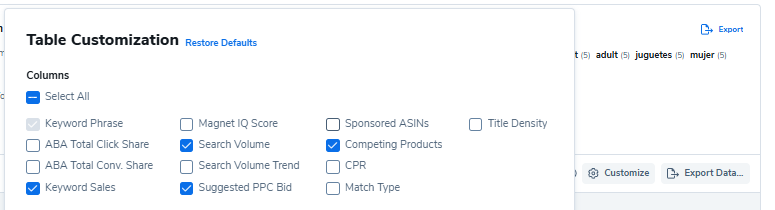
2/ Select the following columns (more or fewer is fine. If there are extra columns, the tool will automatically remove them – if columns are missing, the tool will display a notification, but it will still work normally; you just won’t have data in that column)
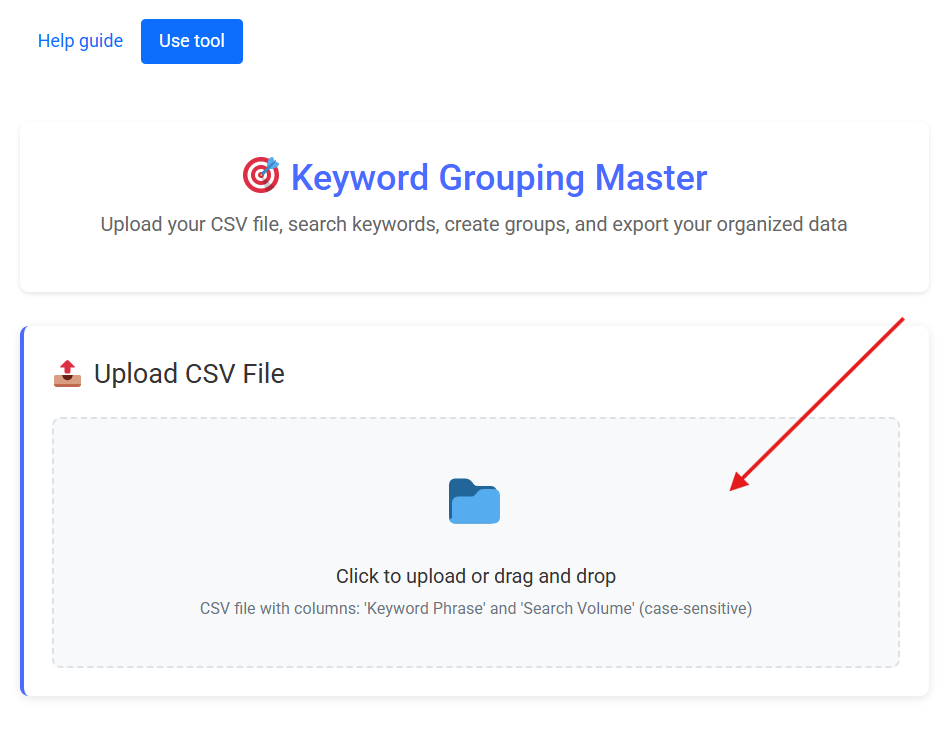
3/ Now upload the CSV file you just downloaded from Helium10 to the tool:
4/ Once uploaded successfully, you will see the following sections:
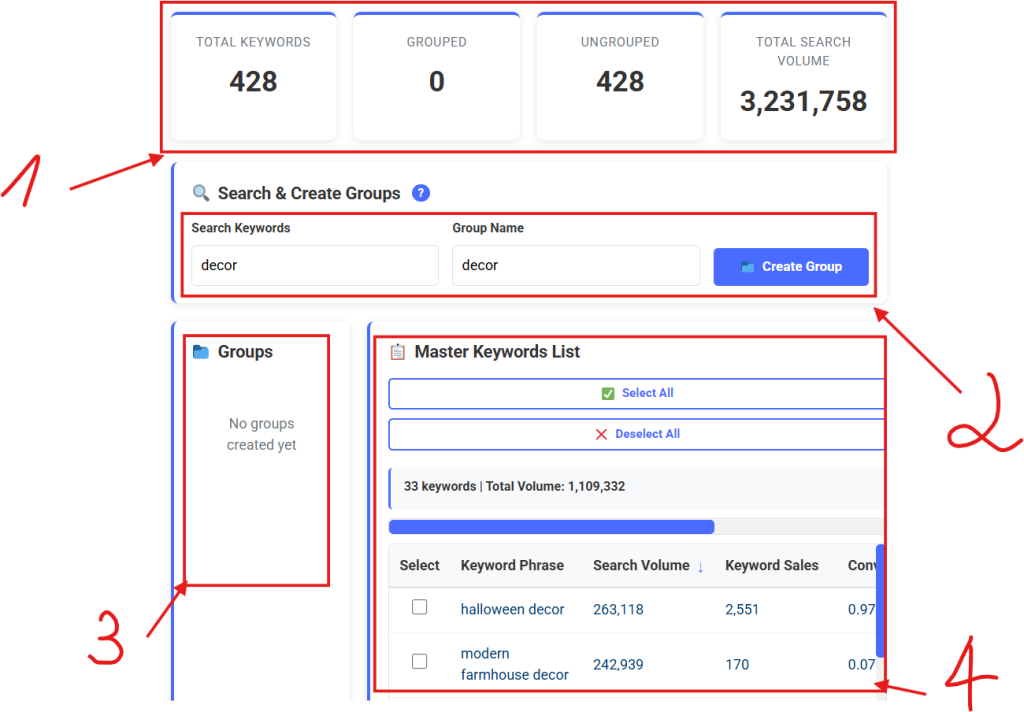
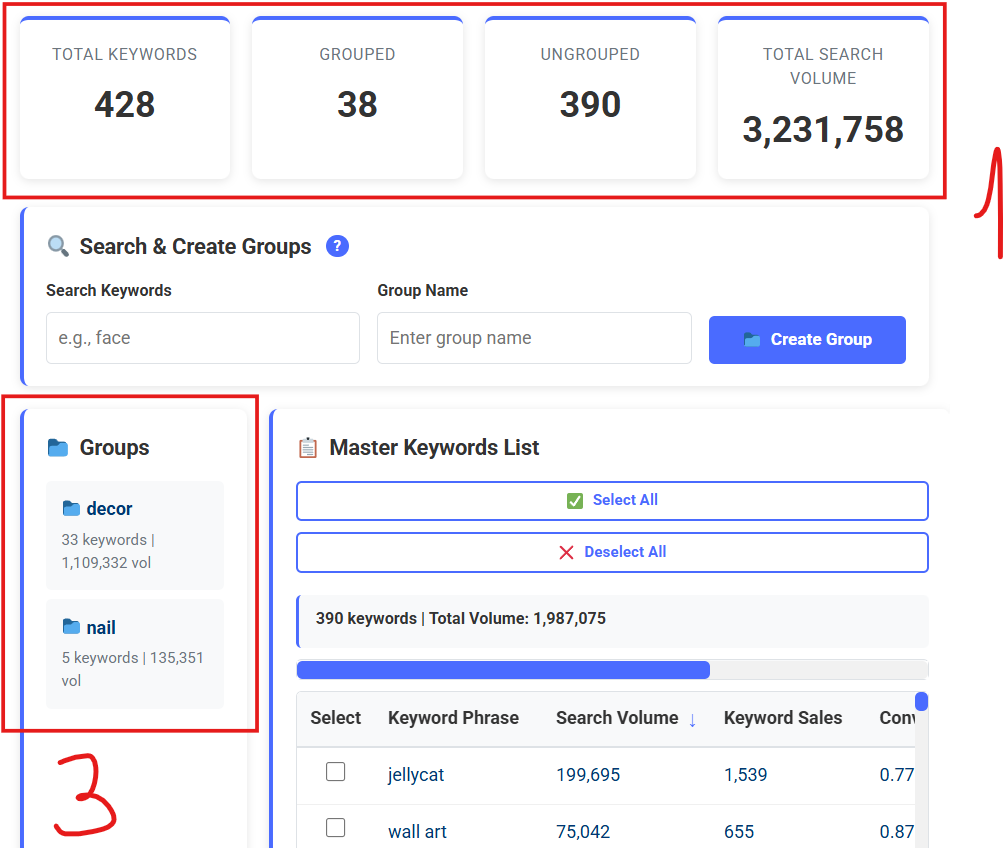
5/ Area 1: Overall statistics for the entire file.
Area 2: A search bar where you can enter a keyword. After entering a keyword and pressing Enter, the table in Area 4 will display keywords that contain the exact word you searched for. Click “Select All” to select all of them (uncheck any you don’t want). Then, enter a group name in the Group Name field in Area 2. Click “Create Group,” and the group will appear in Area 3 as follows:
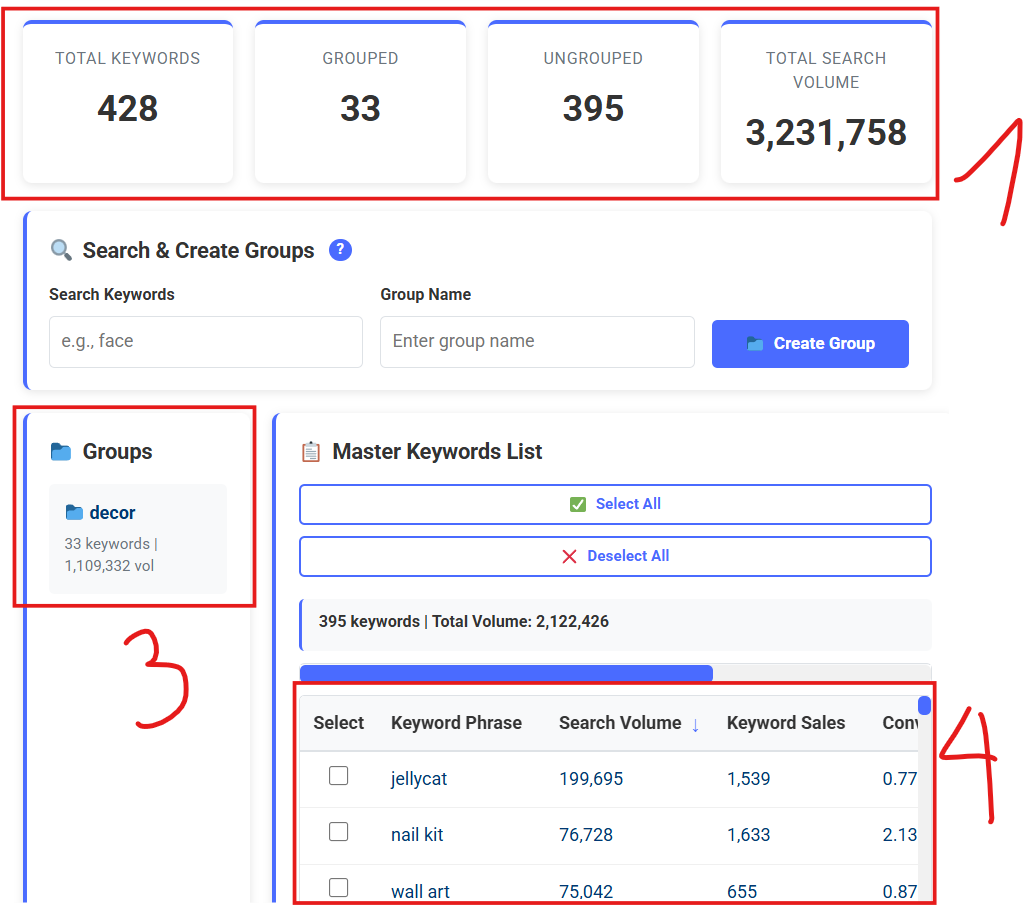
Area 1 will display statistics after the group is created. Area 3 shows the group. The table in Area 4 will no longer contain the keywords that were just grouped – only ungrouped keywords remain.
6/ Create another group:
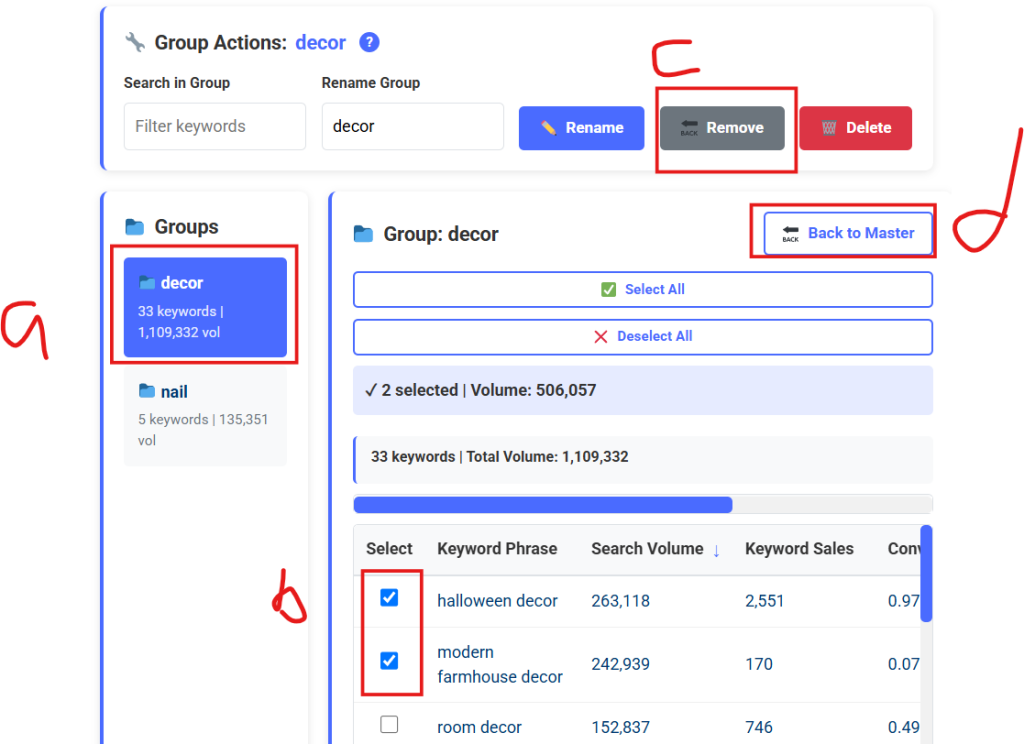
7/ If you want to remove a keyword from a group and return it to ungrouped (click on “d” to go back to the ungrouped keywords table):
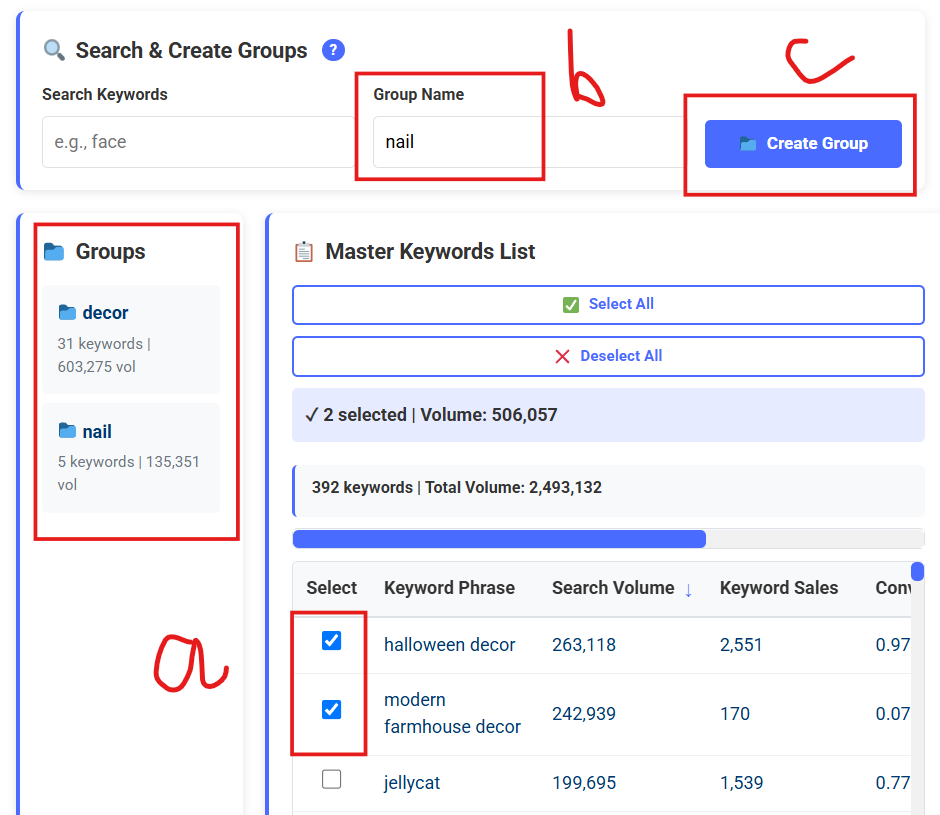
8/ At this point, enter the group name you want to move the keyword into in the Group Name field and click “Create Group.” The keyword will be added to that group (if the group already exists). If it’s a new group name, a new group will be created.
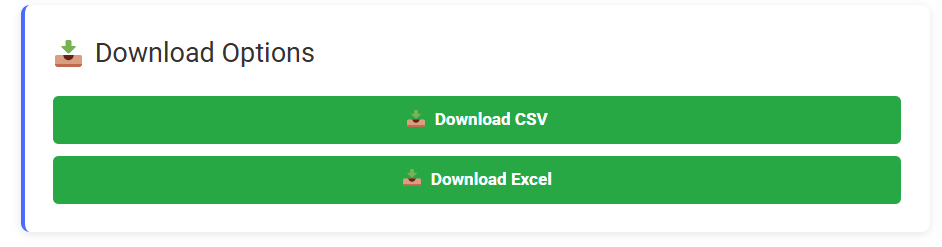
9/ After you’ve finished processing everything, click the download button to download the file and you’re done.
Thanks!
You must be logged in to view this content. You must be logged in to view this content.
🎯 Keyword Grouping Master
Upload your CSV file, search keywords, create groups, and export your organized data
