Amazon PPC Campaign Generator User Guide
Sellers, please follow the instructions exactly – if you make a mistake at any step, the tool will not work. If the tool cannot process – it means the file uploaded by the Seller does not match the instructions; please go back to the first step. Thank you!
📋Prepare Input Data
Required Input File (CSV or Excel):

⚠️ Notes:
- Multiple keywords: Separate with
;(semicolon + space) - Multiple ASINs: Separate with
;(semicolon + space) - Bid format: Decimal numbers (0.51, 0.75, 1.25)
- Portfolio ID
- Daily Budget: Whole numbers (5, 10, 20…)
📋How to Use the Tool
Step 1: Upload File
- Click on the “Upload Input File” area or drag and drop the file
- Select a CSV or Excel file (.csv, .xlsx, .xls)
- Wait for the success notification
Step 2: Select bid strategy and match type
Match Type
- Exact Match
- Phrase Match
- Broad Match
Bidding Strategy
- Fixed bid
- Dynamic bids – down only
- Dynamic bids – up and down
Step 3: Process
- Click “Process File”
Step 4: Download
- Click “Download Excel File”
- The output file will be downloaded to your computer
Step 5: Upload to Amazon Bulkfile
Troubleshooting
❌ Common Errors:
“Error reading file”
- Check the file format (.csv, .xlsx, .xls)
- Make sure the file is not corrupted
- Check that headers have the correct column names
“No data found”
- The file must have at least 1 data row (besides the header)
- Make sure required columns are not empty
Incorrect bid format
- Use a decimal point:
0.51(not0,51) - No special characters or spaces
Review the upload history of Bulk Operation on Ad Console
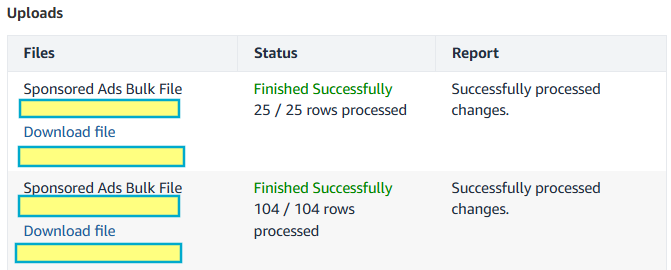
- Check whether all rows in the file uploaded to Amazon have been processed
- If there are error rows or the file cannot be uploaded, Sellers can download the file to see what the errors are and make corrections.
Review the edit history
- After completing the steps above, Sellers should review this History section one more time to make sure no edits were made incorrectly (for example, setting a campaign budget to $100 but accidentally setting the bid per click to $100)
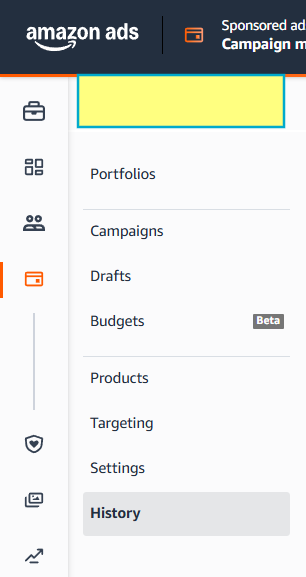

-> The Seller has completed the entire process

You must be logged in to view this content. You must be logged in to view this content.
Amazon PPC Campaign Generator
Transform your keyword data into Amazon PPC bulk upload format
Upload Input File
Click to upload or drag and drop
Supports CSV and Excel files (.csv, .xlsx, .xls) - Output will be Excel format
Configuration
Choose the keyword match type for all campaigns
Choose the bidding strategy for all campaigns
Processing Mode: Multiple keywords per row (separated by "; ")
Output Format: Excel (.xlsx) with numeric bid values
Output Format: Excel (.xlsx) with numeric bid values
Actions
